
Workspaces and windows
Switch between ten workspaces, move windows and use the workspace map or Stage Manager.
On this page
Ten workspaces
Super 1 through 0 switches to a workspace. The 0 key means workspace ten. Add Shift to send the focused window to that workspace.
The dots in the left bar show your workspaces, with the active one stretched into a pill. On multiple monitors, each bar shows the workspaces belonging to its screen.
The workspace map
Press Super Tab to open the workspace map. Each cell is a scaled version of that workspace, with the windows in their actual positions.
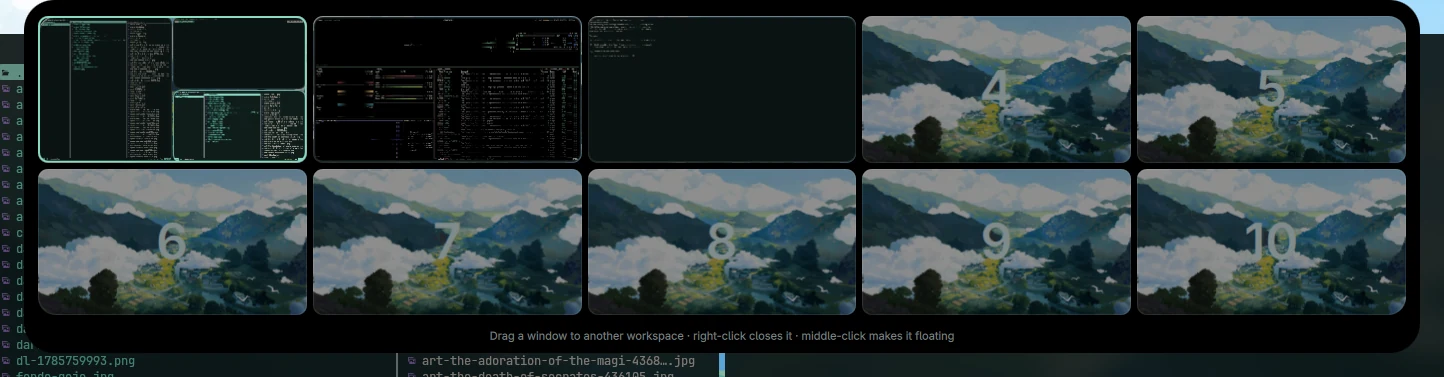
Choose a window to focus it. Drag one into another cell to move it to that workspace. Escape closes the map.
Stage Manager
Push the pointer against the left edge. The other workspaces slide in as stacks of their real windows, turned towards the centre. Click a stack to switch to it.
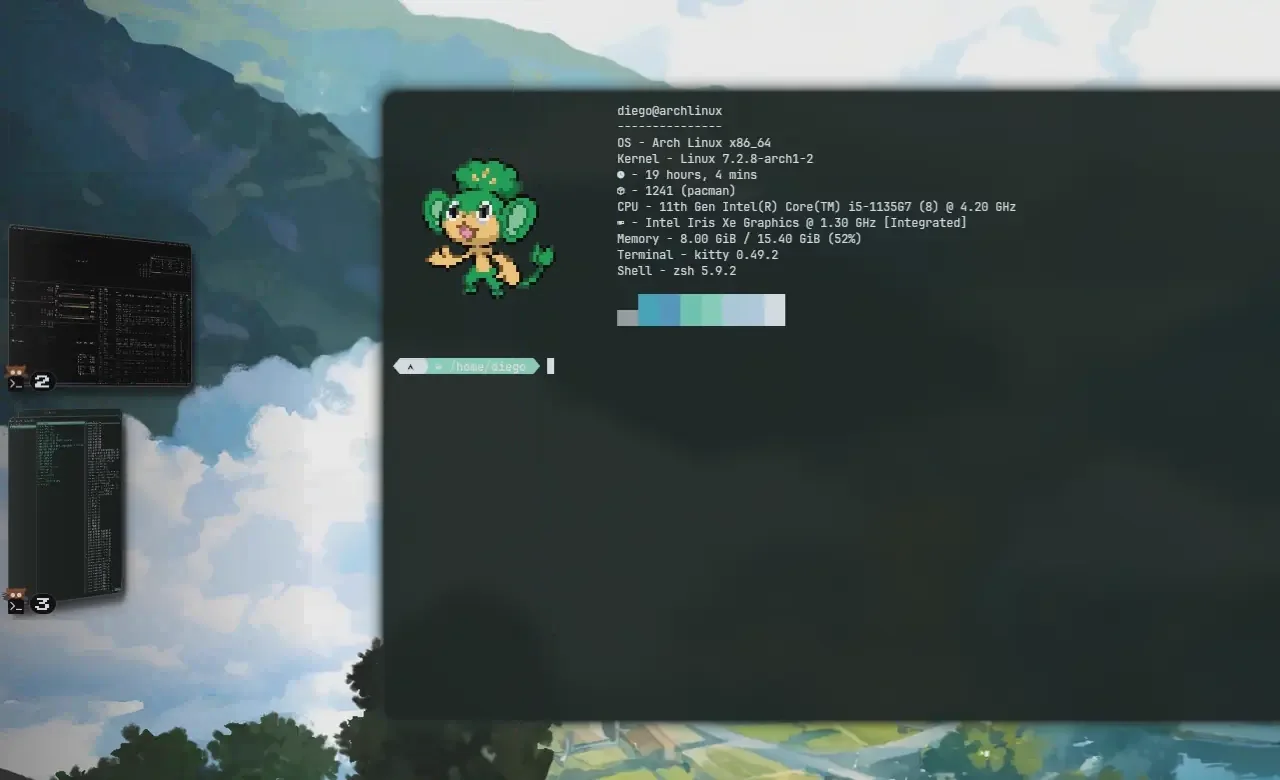
Super Shift Tab toggles Stage Manager. You can also change it in Settings.
Focus and movement
| Shortcut | What it does |
|---|---|
| Super Shift + an arrow | Focuses the window in that direction |
| Super + an arrow | Moves the focused window in that direction |
| Super + left drag | Moves a window with the pointer |
| Super + right drag | Resizes a window |
| Super V | Toggles a centred floating window |
With the arrow bindings, Shift changes focus; without Shift you move the window.
More than one monitor
Workspace numbers are shared across the desktop. If workspace two is on another screen, Super 2 takes you there.
Review monitor arrangement, resolution and scale in Settings → Displays. For configuration paths, see under the hood.
Source snapshot · 24 Oct 2026
Read the source