
Desktop settings
Adjust the appearance, save profiles and configure the launcher, displays, sound and other desktop controls.
On this page
Find a setting
Open Settings with Super ,, Super A, or the cog in the Control Centre. Search looks across all sections, ignoring case and accents, and shows the matching settings.
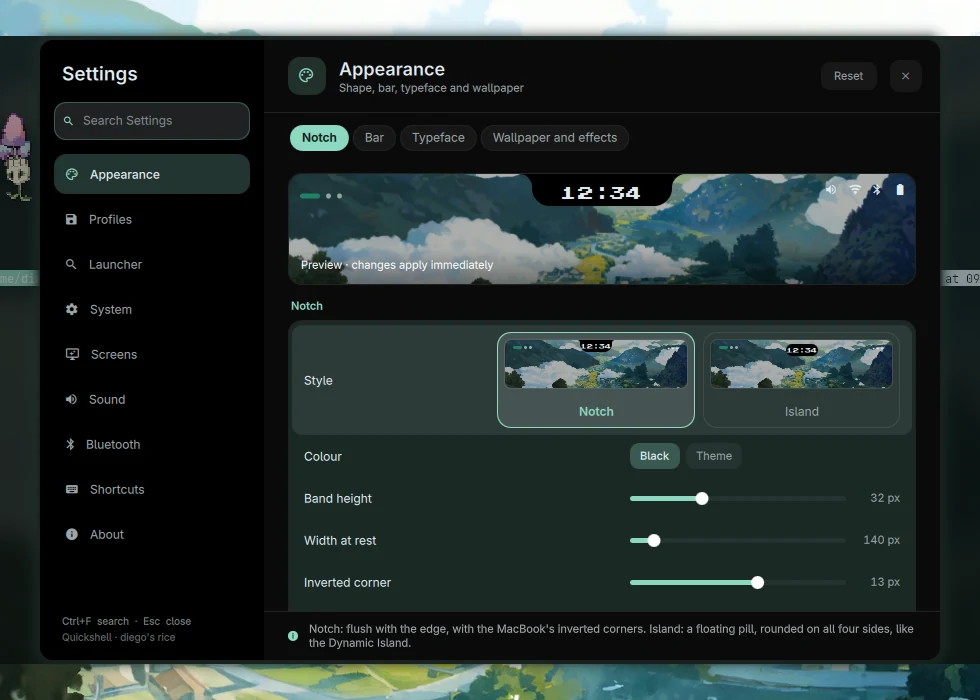
Settings sections
| Section | What’s there |
|---|---|
| Appearance | Notch shape, bar, typography, wallpaper and compositor effects. |
| Profiles | Save and recover different appearances. |
| Launcher | Application ordering and learning. |
| System | Brightness, power, network and notifications. |
| Displays | Monitor arrangement, resolution and scale. |
| Sound | Volume and PipeWire input/output devices. |
| Bluetooth | Radio, saved devices and discovery. |
| Shortcuts | A searchable map of the actual Hyprland bindings. |
| About | Hardware, software and configuration paths. |
Live previews and profiles
Appearance changes are applied live. The preview shows the notch as you adjust its controls. Hover over a setting to read its description in the window’s hint area.
Save an appearance as a profile to apply it again later. The wallpaper guide explains which colours come from the selected image.
Language
The desktop supports English and Spanish. The installer offers the initial language, and Settings can change it later. I18n.qml and the translation dictionary supply the shell’s text.
Applications have their own language settings. Changing the shell’s language applies to Pocket’s interface.
Saved preferences
Most shell preferences live in:
~/.config/quickshell-rice.json
This file sits outside the watched Quickshell source directory, so saving a preference doesn’t reload the entire shell. If you’re editing it by hand, keep a copy first and preserve valid JSON.
Some controls also update another program’s configuration. Compositor effects, for example, are applied to Hyprland and persisted in ~/.config/hypr/efectos.lua. Under the hood lists the programs and files involved.
Source snapshot · 24 Oct 2026
Read the source