
Your Pokémon team
Connect your GitHub account to a team of six Pokémon, choose a leader and control the desktop companion.
On this page
Meet the six
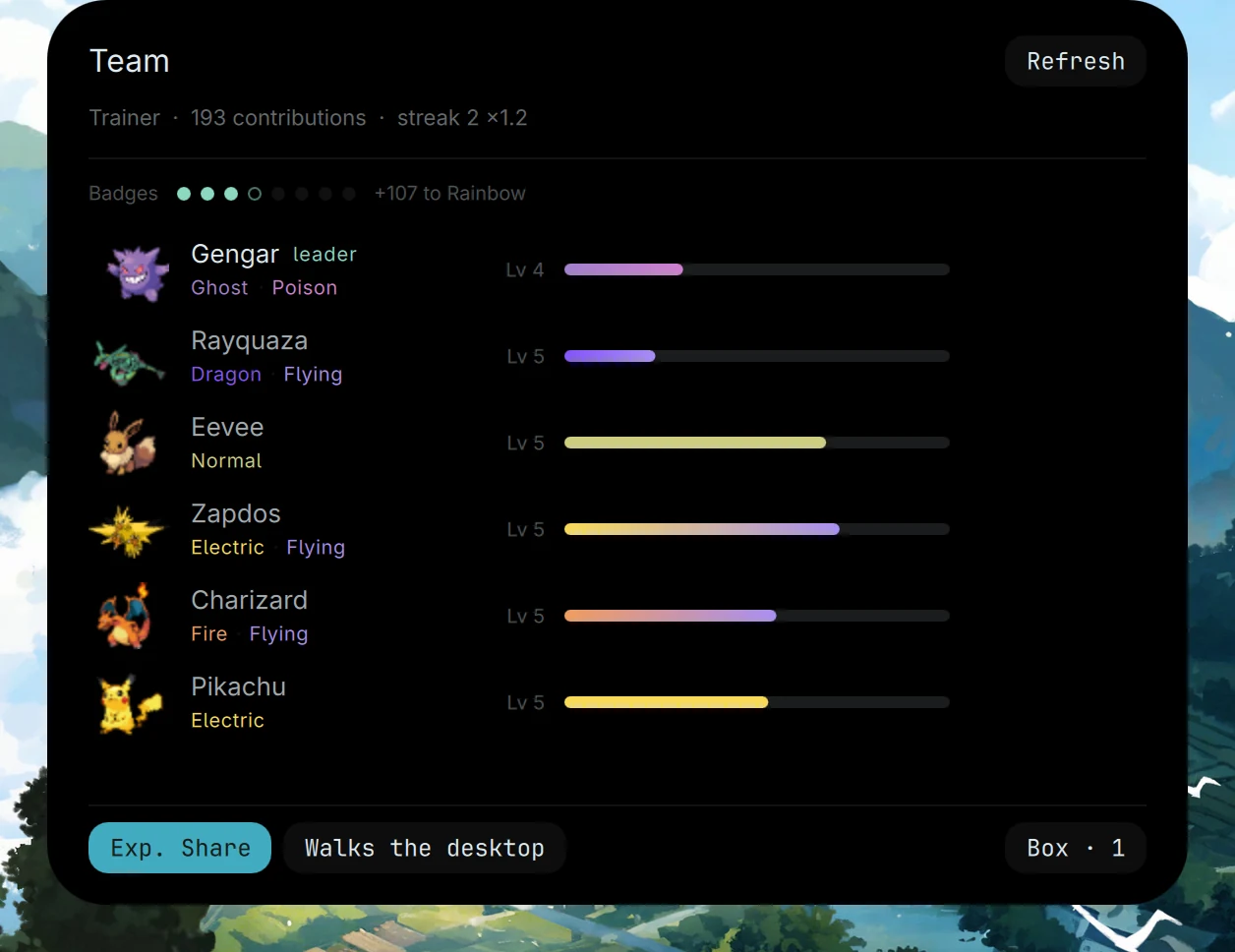
Open the team with Super Shift O, or choose the team card in the Control Centre. The panel shows your Pokémon, their types, levels and progress, alongside your trainer’s contributions, streak and badges.
Connect your GitHub account
The desktop uses the GitHub CLI to read your contribution activity. Sign in with your own account:
gh auth login
Contributions give the team experience, with a multiplier for a contribution streak. Refresh the panel after connecting your account to see your progress.
If activity doesn’t appear, check the CLI session with gh auth status. Authentication belongs in your local GitHub CLI; you don’t need to put a token into a QML file or this website.
The walking companion
The Walks the desktop control lets the leader walk on your windows. This uses wl_shimeji, a separate process from the shell. You can turn off the walking companion and continue using the team panel.
The team panel also controls Exp. Share. For a compact view of the team, use the strip in the Control Centre.
Open the Pokédex
Super O, without Shift, opens the Pokédex in a terminal window. It is separate from the team panel. Remember the pair: O for the Pokédex, Shift + O for your team.
When a sprite is missing
Sprites aren’t tracked in the repository. The installer downloads the assets in its final phase. Run ./diagnose from the clone to check the setup before trying to fix an empty image in the shell.
Pokémon artwork and names belong to their original owners. Pocket is a personal project, unaffiliated with Nintendo, Creatures Inc. or GAME FREAK. See Credits & licences for the attributions.
Source snapshot · 24 Oct 2026
Read the source