
The notch and Control Centre
Open the desktop panels, use the everyday controls and switch between the attached notch and floating island.
On this page
Small at rest
At rest, the notch shows the time. Hover to see more context, including the full date and battery. When music is playing it makes room for the cover and an eight-band audio visualiser.
The resting notch fits inside the reserved top band, above your windows. Opening a panel temporarily expands it; closing the panel restores its resting size.

The Control Centre
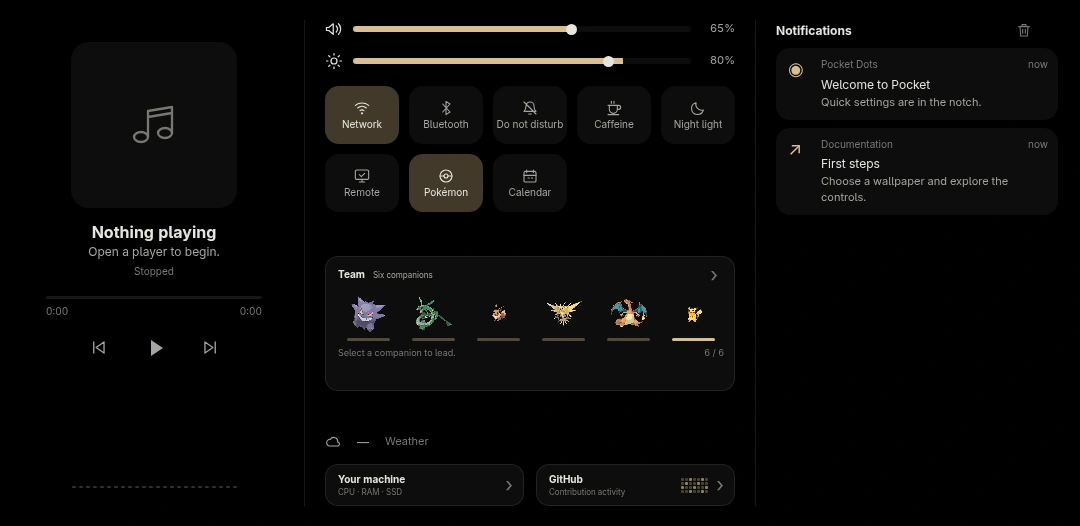
Super D opens the everyday controls: the music player, volume and brightness, network and Bluetooth, notifications, weather, your team and computer status.
Volume comes from PipeWire. Media controls follow the player exposed over MPRIS. Brightness and battery controls appear when your hardware provides them.
Notifications arrive through Quickshell’s own notification server. A new one becomes a brief live activity, then remains in the Control Centre’s history.
Other panels
| Face | Open it with |
|---|---|
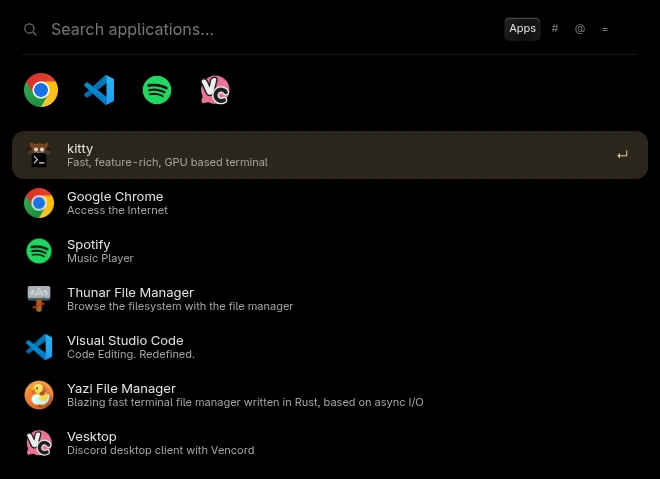
| Launcher | Super R |
| Workspace map | Super Tab |
| Computer status | Super Shift D |
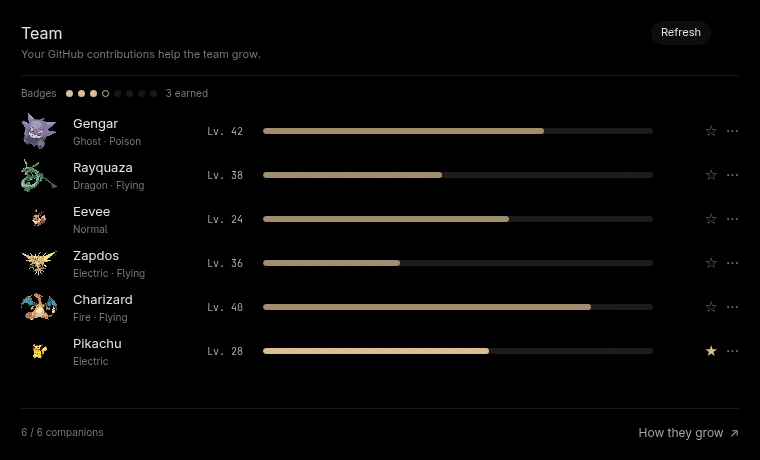
| Team | Super Shift O |
| Power menu | Super Shift E |
| Calendar | Three-finger swipe down |
Use Escape to leave a transient panel. Clicking outside also dismisses it. Settings opens in a separate window.
Notch or island
Super N switches between the notch, attached to the top edge, and the floating island. Settings → Appearance lets you adjust the shape in more detail.
The browser example below lets you compare both shapes and change the resting width. Each panel has its own dimensions. Its contents stay at their final size while the outline opens around them.
Try the notch.
Switch between notch and island, then open a panel to see how it fits.
- Clock body
- 140 × 28 px
- Total width
- 140 px
- Top gap
- 4 px
The island sits four pixels below the top edge. Choose a panel to open it.
The clock is shown in detail; open panels scale to fit. Measurements follow the 1920 × 1080 desktop configuration. These are browser illustrations. Controls here only change this preview.

Fullscreen and multiple monitors
With a fullscreen window, the shell slides out of the way. On a multi-monitor desk, each screen has a bar; the focused monitor gets the active panel. The other notches stay at rest.
For implementation details, under the hood explains how the shell manages its shape, state and input mask.
Source snapshot · 24 Oct 2026
Read the source