Pocket Dots
An Arch Linux desktop with Hyprland, a Quickshell notch, wallpaper-based colours and a Pokémon team.
On this page
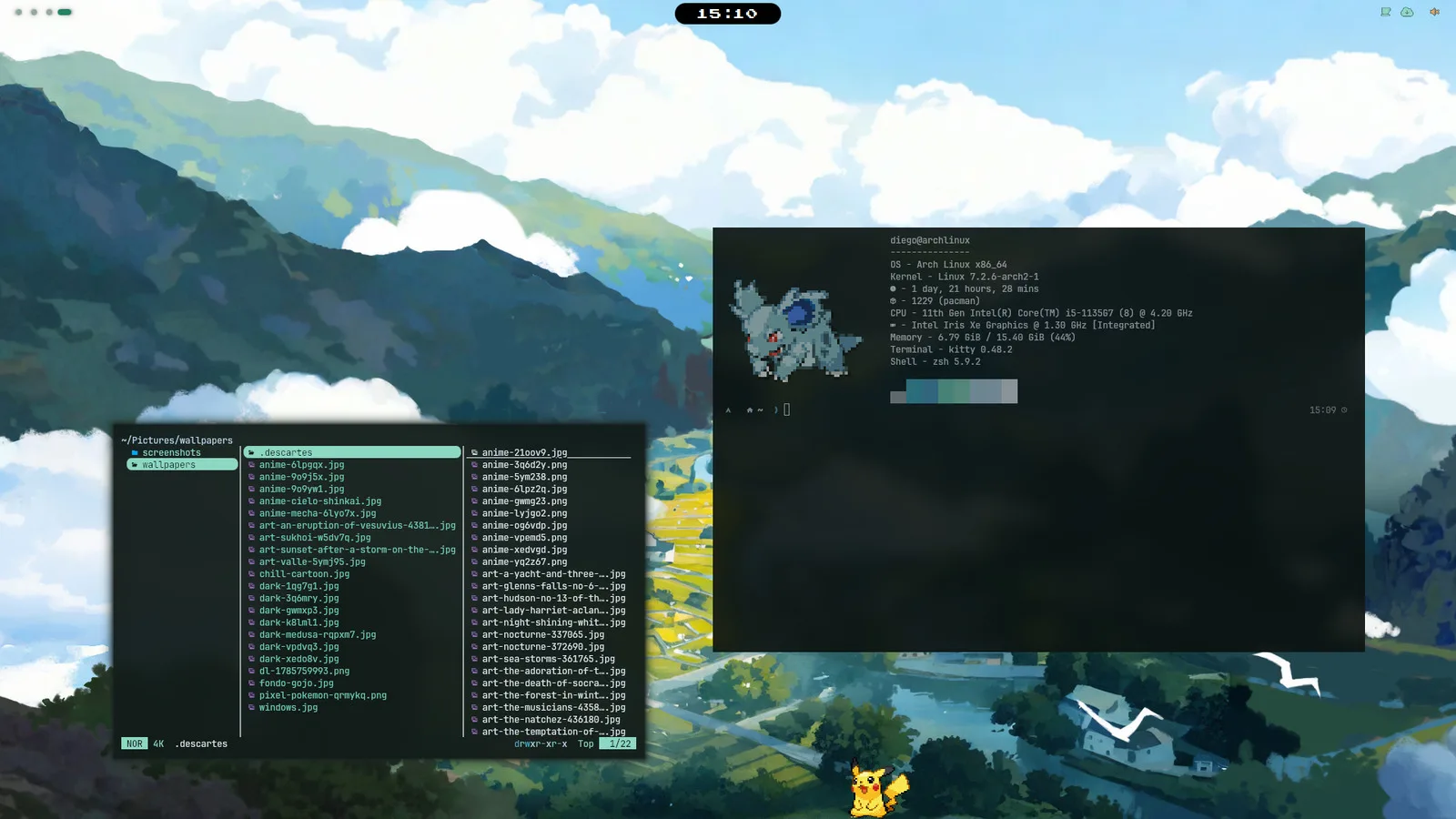
Pocket is the configuration I use on my Arch Linux desktop. Hyprland manages the windows, and Quickshell provides the bar, panels and Settings. Most controls open from the black notch at the top of the screen.
The notch shows the clock while you’re working. Open a panel to search for an application, adjust the volume or check the calendar; closing it returns the notch to its resting size.
What Pocket includes
Panels open from the notch. The Control Centre, launcher, workspace map, calendar and notifications share the same surface. Settings opens in its own window. Meet the notch.
The palette comes from your wallpaper. pywal extracts its colours and passes them to the shell, terminal, GTK and Qt apps, window borders, Spotify, lock screen and login. Follow the colours.
Your Pokémon team follows your contributions. Six Pokémon gain experience from your GitHub activity. You can also have the leader walk on the desktop. Meet the team.
Where to go next
To set up Pocket on Arch, start with installation. If it’s already installed, your first five minutes covers the main controls.
Use the keyboard reference to look up a shortcut. On the desktop, Super K opens a searchable list of the current bindings.
What this guide covers
This guide follows the configuration in pocket-dots, including the Lua configuration used by Hyprland 0.56+. It covers installation, everyday use and the files behind the interface.
Pocket was built first on an Intel laptop. On other hardware, you may need to adjust display scaling or graphics drivers. See installation and troubleshooting for those checks.
Source snapshot · 24 Oct 2026
Read the source