
Use the launcher
Search applications, clipboard history, actions and open windows, or enter a calculation or timer.
On this page
Open it and type
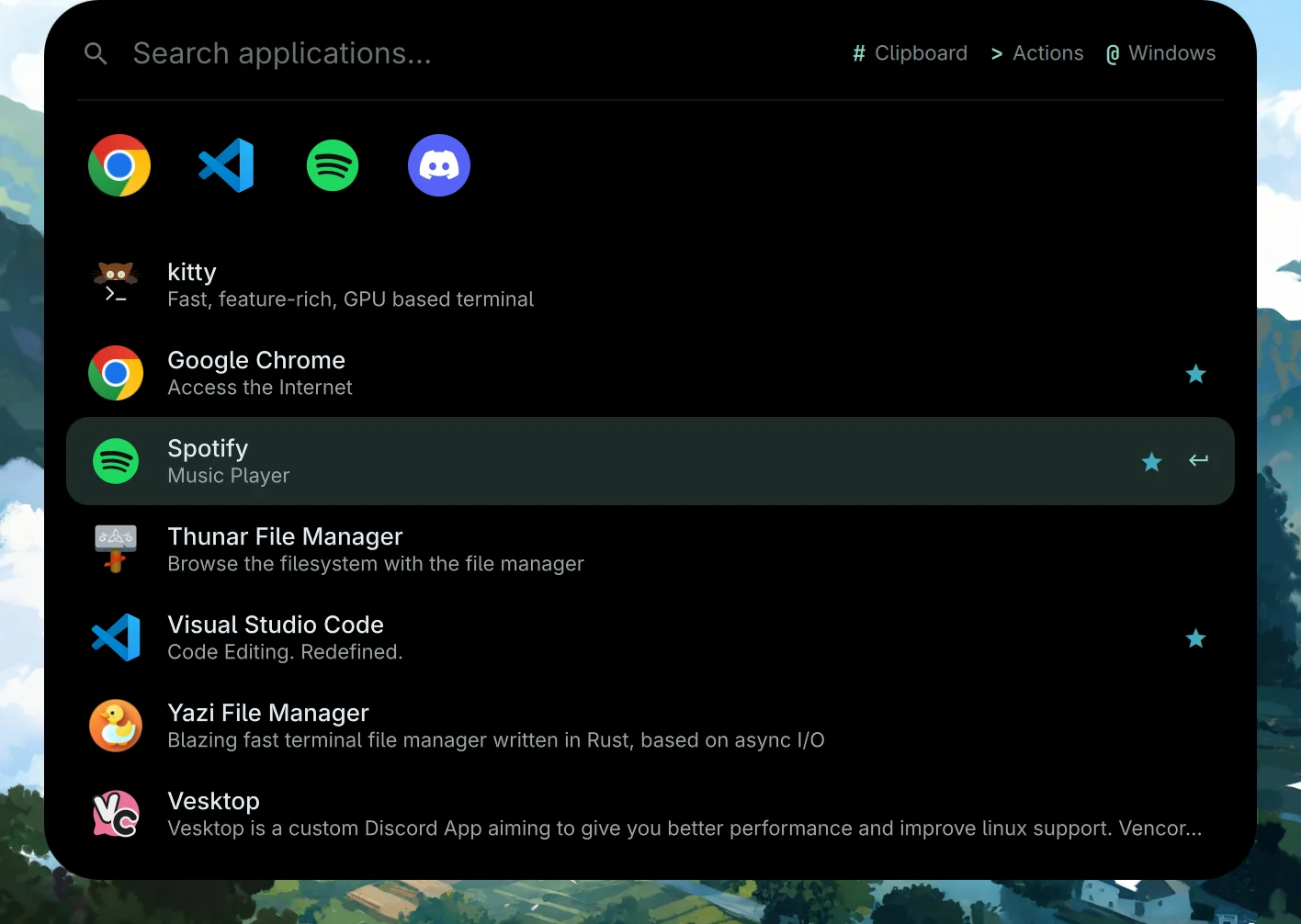
Press Super R. Type an application name, use the arrow keys to choose a result and press Enter to open it. The launcher learns from the applications you open.
With an empty field, pinned favourites appear at the top. They are hidden while you’re searching.
Search modes
| Type first | Search | Enter does this |
|---|---|---|
| An app name | Applications | Opens the application |
# |
Clipboard history | Puts the selected entry in the clipboard |
> |
System actions | Runs the selected action |
@ |
Open windows | Focuses the window, changing workspace if needed |
The prefix becomes a mode label, leaving the search field for your query. Press Backspace in an empty field to return to applications.
Clipboard history includes text and images. Delete removes the selected entry while keeping the panel open. You can also open this mode directly with Super Shift V.
Calculations and timers
Type an expression such as 2+2 for a calculation. For a timer, type 10m, 25 min, 1h30 or 90s, then press Enter on the result to start it.
A duration needs a unit: a bare 5 remains an application search. The running timer lives in the small satellite bubble beside the notch. Click to pause or resume; right-click to cancel.
Pin and reorder favourites
Pin or unpin the selected application with Ctrl D, its star, or a right-click on the row. Launch pinned items with Ctrl 1 through 9.
Drag the pinned icons to reorder them. Their order is saved in favApps in ~/.config/quickshell-rice.json, using application IDs so that a language change doesn’t lose your favourites.
A few actions to try
Use > and search for Settings, the workspace map, do not disturb or reading mode. For application ordering and learning controls, open the launcher section in Settings.
Source snapshot · 24 Oct 2026
Read the source